


EDOLUC LIGHT
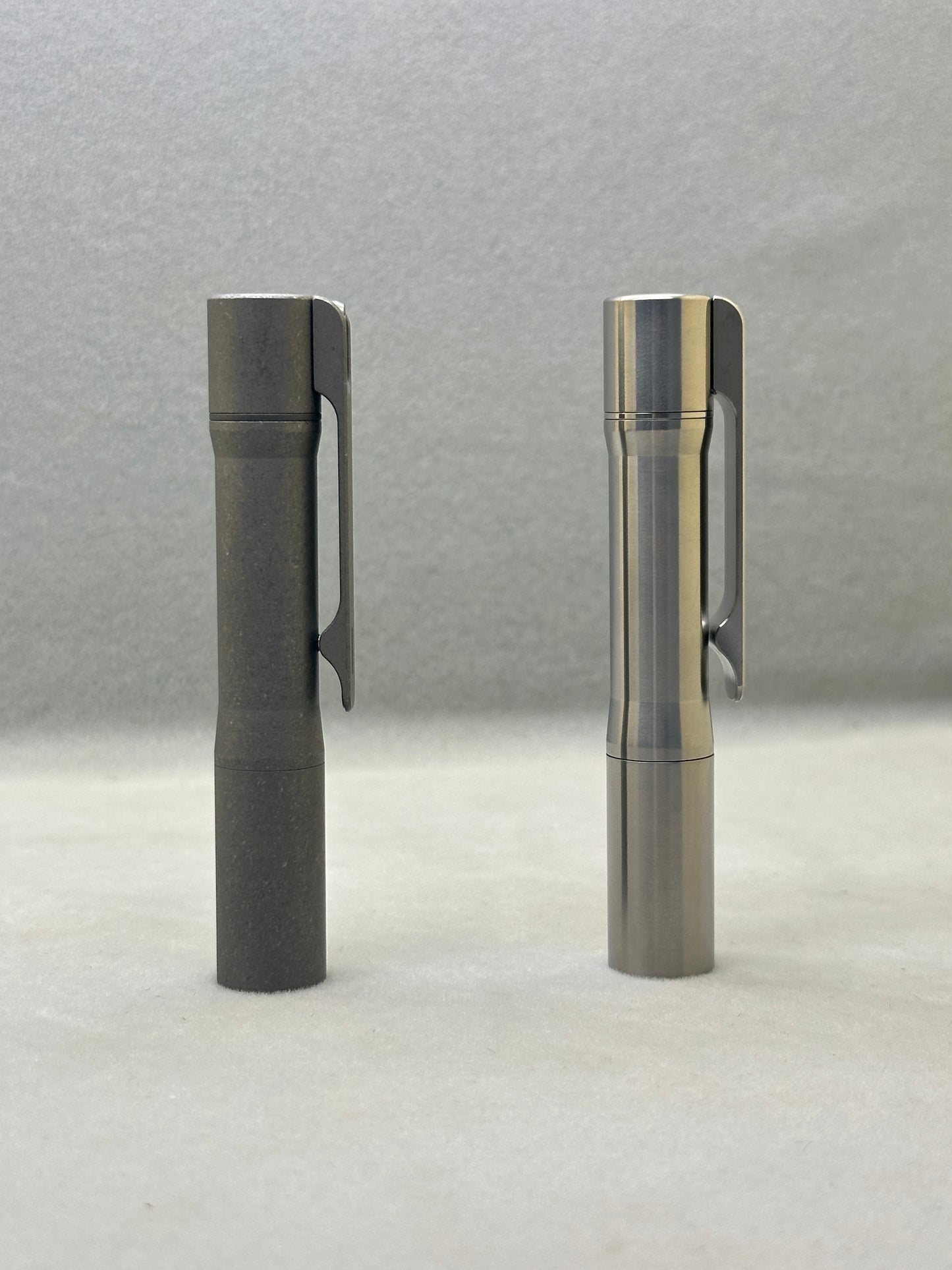
Edoluc SL-01 Titanium 10440/AAA EDC Flashlight with Type C Battery
Edoluc SL-01 Titanium 10440/AAA EDC Flashlight with Type C Battery
4.0 / 5.0
(1) 1 total reviews
Couldn't load pickup availability
Size: 9.2cm(L) * 1.5cm(W) Weight: 47.5g
Tritium Tube Size: 1.5mm *6mm
Packed Weight : 99.5g
Packaging :1pc with 10440 Type C battery/Box.
Features
Entering Programming Mode:
Turn on the flashlight and quickly half-press the tail switch more than 8 times. When the LED flashes rapidly, it indicates that the flashlight has entered programming mode.
Programming Mode Features:
A. Selecting Output Groups (5 Groups Available):
After entering programming mode:
- The LED will flash slowly once, followed by a series of fast flashes.
- Press the switch during the fast flashes to enter the mode selection process.
How to select output groups:
- Slow flash 1 time, followed by fast flashes: Press the switch to select Group 1.
- Slow flash 2 times, followed by fast flashes: Press the switch to select Group 2.
- Slow flash 3 times, followed by fast flashes: Press the switch to select Group 3.
- Slow flash 4 times, followed by fast flashes: Press the switch to select Group 4.
- Slow flash 5 times, followed by fast flashes: Press the switch to select Group 5.
If no selection is made for a given option, the cycle will repeat once. If no option is selected after two cycles, the flashlight will exit programming mode.
Output Groups:
- Moonlight - 40%
- Moonlight - 30% - 100%
- Moonlight - 5% - 30% - 100%
- Moonlight - 30% - 100% - Strobe
- Moonlight - 10% - 50% - Strobe - SOS
Default Factory Setting:
Group 2: Moonlight - 30% - 100%, Memory OFF.
B. Enabling or Disabling Memory Function (Default: Disabled)
- In programming mode, the LED will slow flash 2 times, followed by fast flashes. During the fast flashes, press the switch to toggle memory mode on/off.
C. Enabling or Disabling Moonlight Mode
- In programming mode, the LED will slow flash 3 times, followed by fast flashes. During the fast flashes, press the switch to enable or disable Moonlight mode.
D. Changing Mode Order (Default: Low → Medium → High)
- In programming mode, the LED will slow flash 4 times, followed by fast flashes. During the fast flashes, press the switch to change the order to High → Medium → Low.
E. Restoring Factory Settings
(Default settings: Memory OFF, Moonlight mode ON, Low → Medium → High order)
- In programming mode, the LED will slow flash 5 times, followed by fast flashes. During the fast flashes, press the switch to restore factory settings.
Switch Functions:
- Half-press (light press): Cycle through modes.
- Double press quickly: Activate 70% brightness.
- Triple press quickly: Activate strobe mode.
*Use of light in “strobe” mode may cause seizure in persons with photosensitive epilepsy.*
Share


The Quality is fine, bright enough, lightweight, but the swivel isnt good. It is too deep in the Body of the Torch. It works, but for me it would be better, If He stood a bit over the top end.